

Force Stop app (Android)
If the Unetwork app is not responding, not updating, or showing a temporary issue, force stopping the app may help.
Force stopping closes the app completely. After that, open the Unetwork app again from your home screen or app list.
The exact wording may differ by phone brand and Android version, but the steps are generally the same across Android devices.
-
 1
1
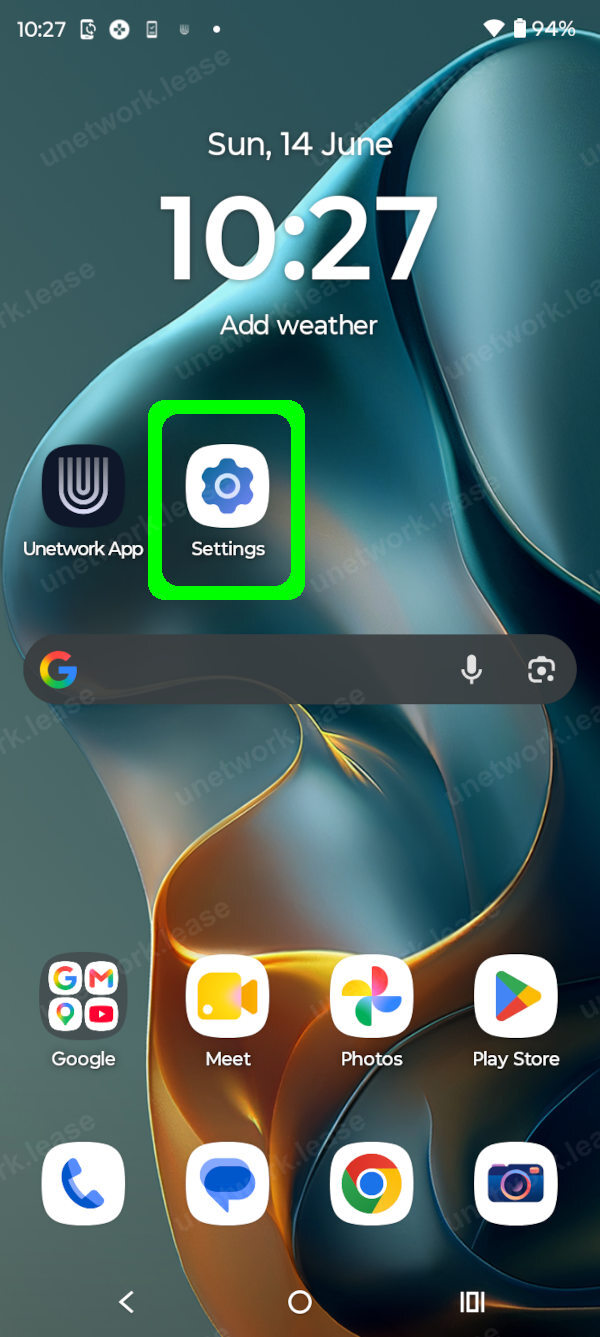
Step 1 / 4
Open the Settings app.
-
 2
2
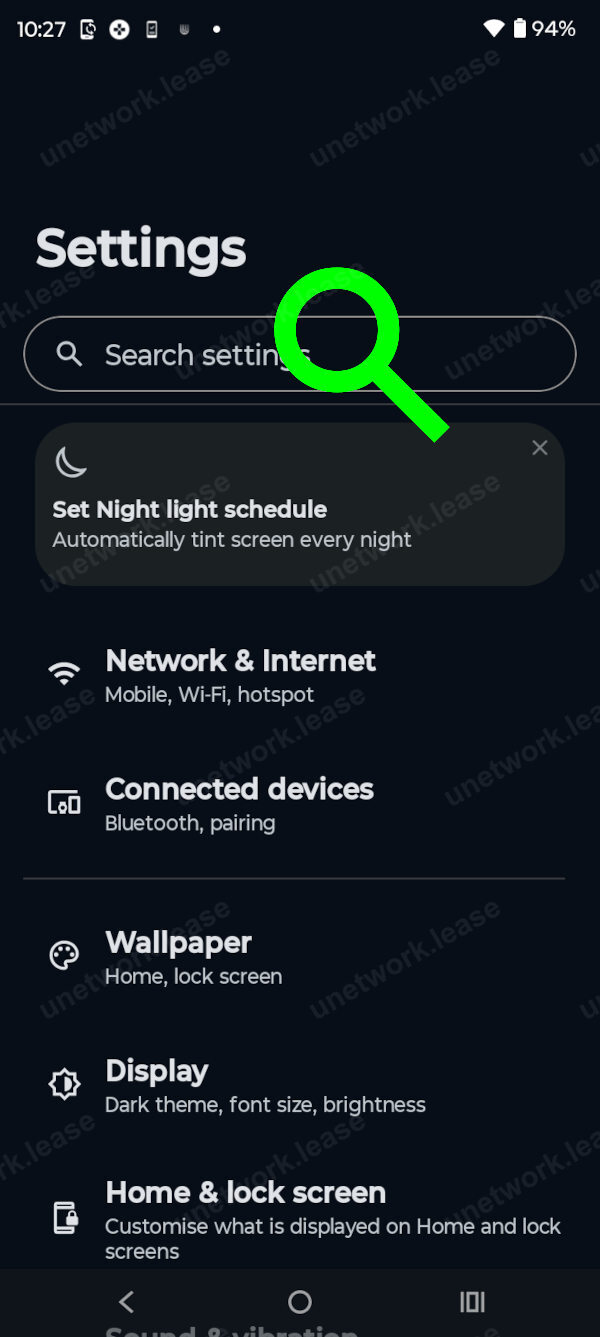
Step 2 / 4
Find the Apps section in Settings.
-
 3
3
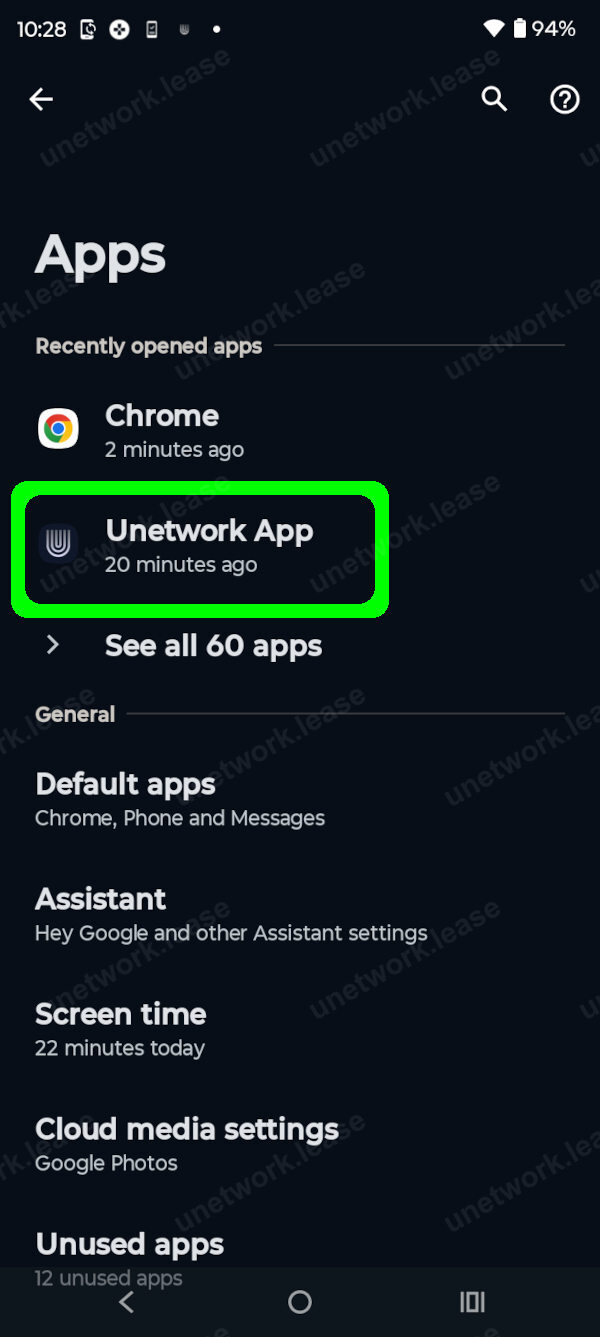
Step 3 / 4
Tap the Unetwork app.
-
 4
4
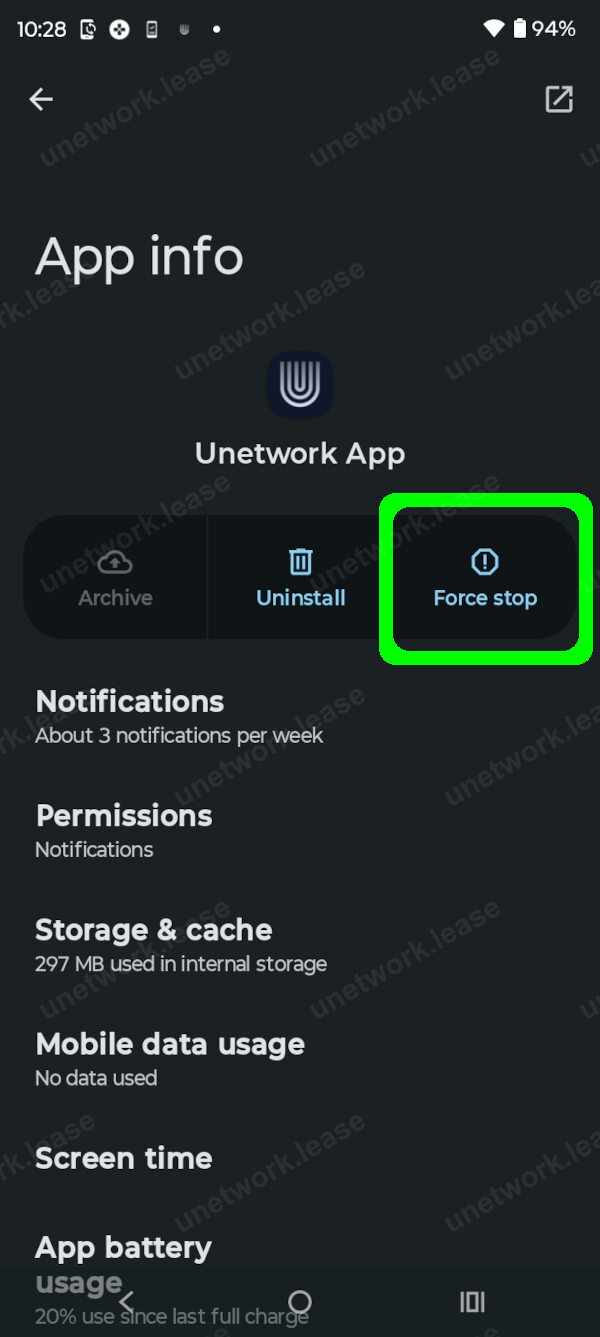
Step 4 / 4
Tap Force Stop to close the app completely.