

Help
Guides, tasks and troubleshooting to get you up and running
These guides help you install the Unetwork app, enter your lease code, keep your phone online, and understand optional tasks.
The app can earn base rewards in the background while it stays running and connected. Extra tasks may become available over time for users who want to earn more.
We will keep adding guides as the Unetwork app develops. More task types are planned, ranging from simple background checks to more advanced earning tasks.
Guides
Enter your lease code in the Unetwork app
Got a code from the dashboard or the home page? This guide shows exactly where to enter it in the Unetwork app so your phone can start earning.
View guideHow payouts work
Earned some rewards? Here is how getting paid works, and where to find the full step-by-step.
View guideTasks
Information about the growing range of tasks available from Unetwork and how to get set up with them, will be added here.
The app can earn base rewards in the background without extra setup, as long as it stays running and connected to the internet.
Optional tasks may earn more and help Unetwork provide more useful network data to telecommunications partners.
As more tasks are added, this section will explain how to find, enable, and manage them.
To find the Tasks menu, tap the fourth icon at the bottom of the app. You can also open the three-dot menu and select Tasks.
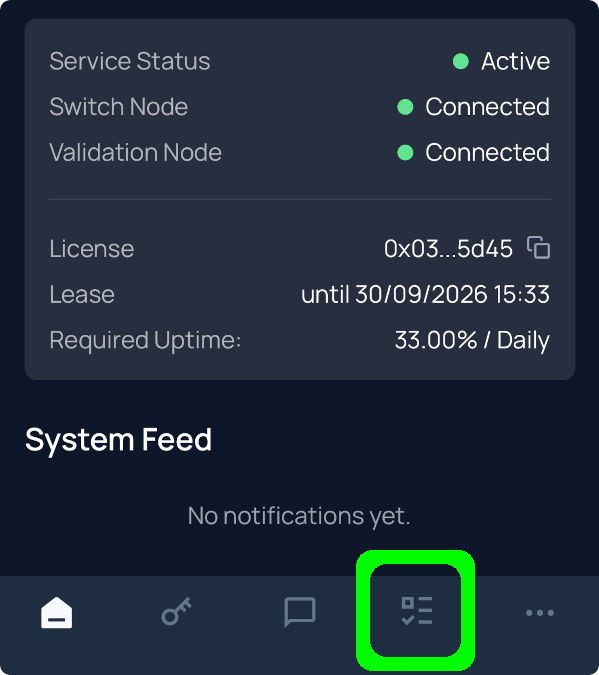
Default background rewards task
The default background rewards task is always active. There is no task setup required. As long as you keep the app running and connected to the internet, it can earn base rewards.
View guideCaller ID testing task
Help verify whether international test calls arrive with the correct caller ID. Your phone may receive a short automated test call, then you report the number it came from.
View guideSMS Testing task
Prepare for SMS testing, which will help verify that international SMS arrive with their content complete and correct.
View guideConnectivity Verification task
Connectivity Verification is also known as Scout and Runner. It is used to log, and later test, phone plans available in your area. This task is currently offline, but it paid significantly more than background rewards during beta testing.
View guideEntropy Contribution task
Turn on Entropy Contribution and your phone quietly contributes real-world randomness in the background. This randomness is used for security, verification, and decentralised systems.
View guideTroubleshooting
Known issues and what to do when something isn't working