

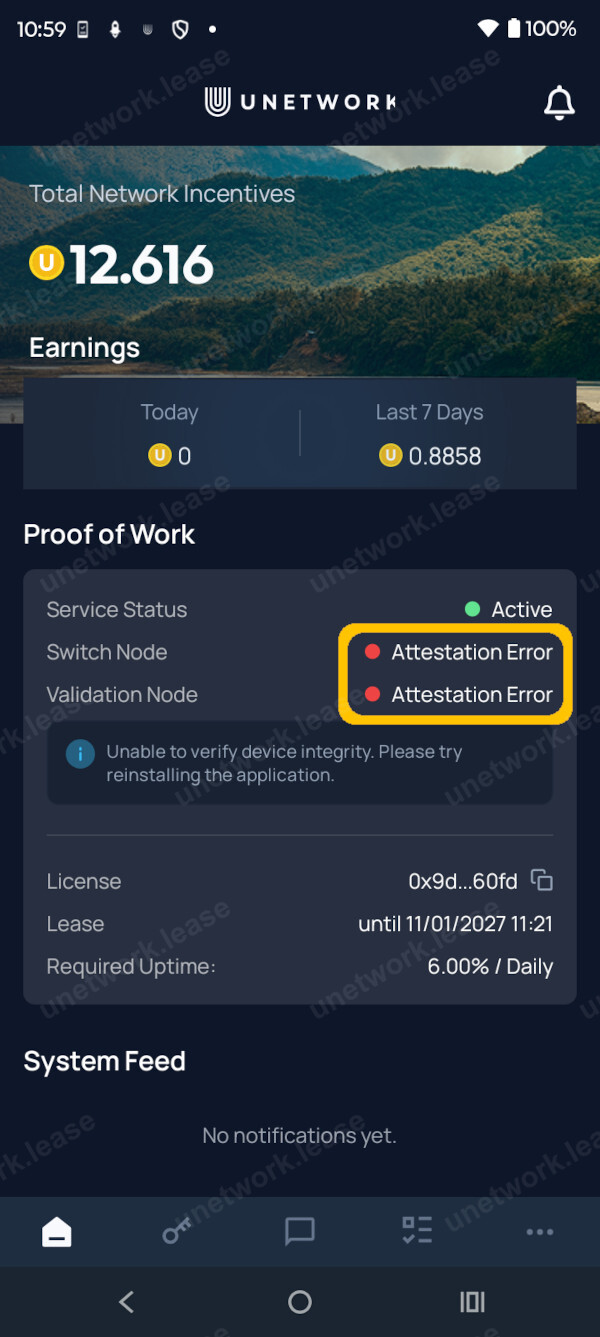
Attestation Error
From version 1.2.0, the Unetwork app checks that it is running on a real phone on a real connection. This check is called device attestation.
Unetwork is an edge network: its value comes from genuine devices in genuine locations. Attestation keeps out emulators, virtual devices, and anything pretending to be a real handset, so that real operators are not diluted by fake ones. If you are running a genuine phone on a genuine connection, nothing changes for you.
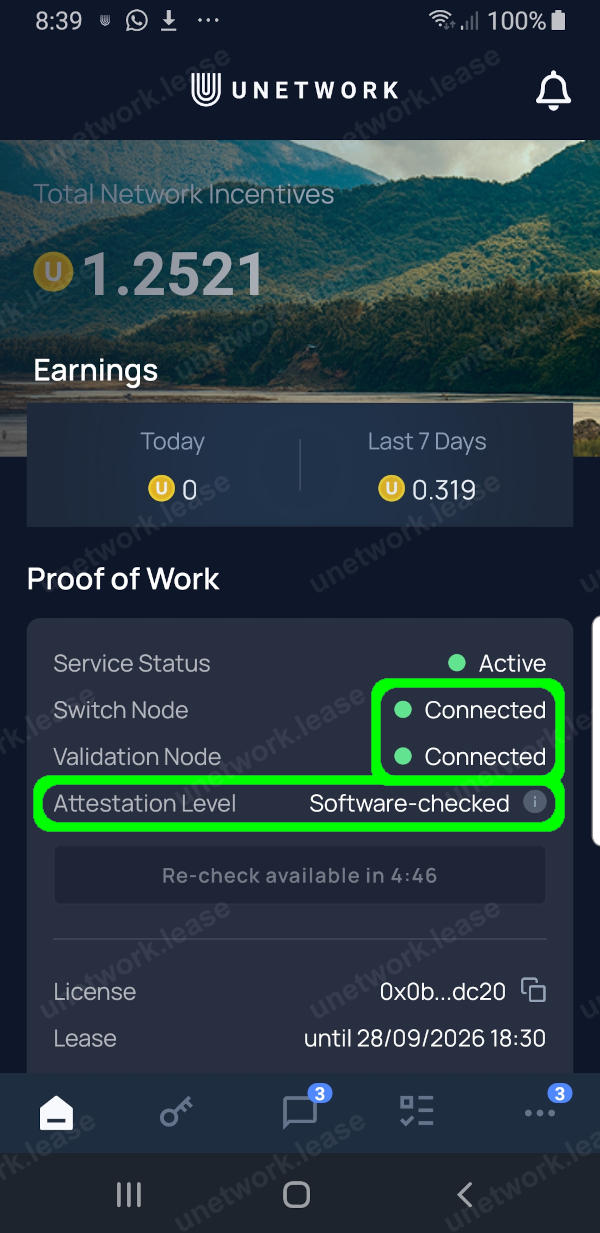
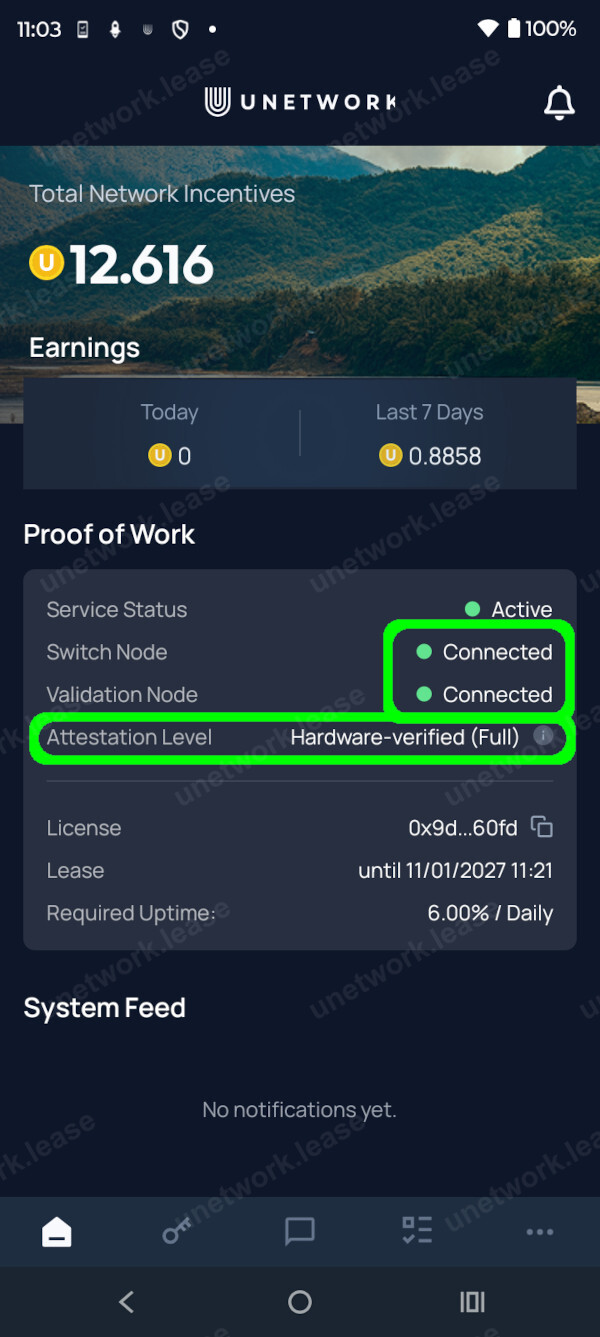
When the check passes you will see an Attestation Level screen. There are two possible results, and you earn with either one:
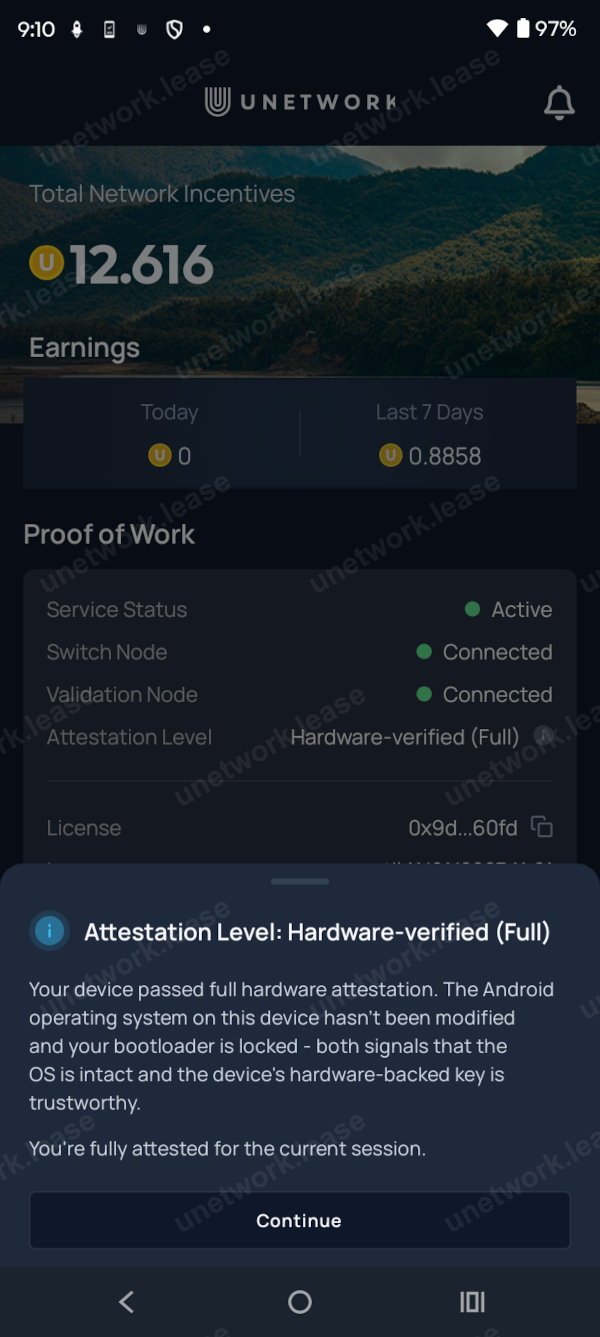
Verified in hardware — the strongest result. Most phones certified by Google Play from around 2018 onward have the secure hardware needed for this.
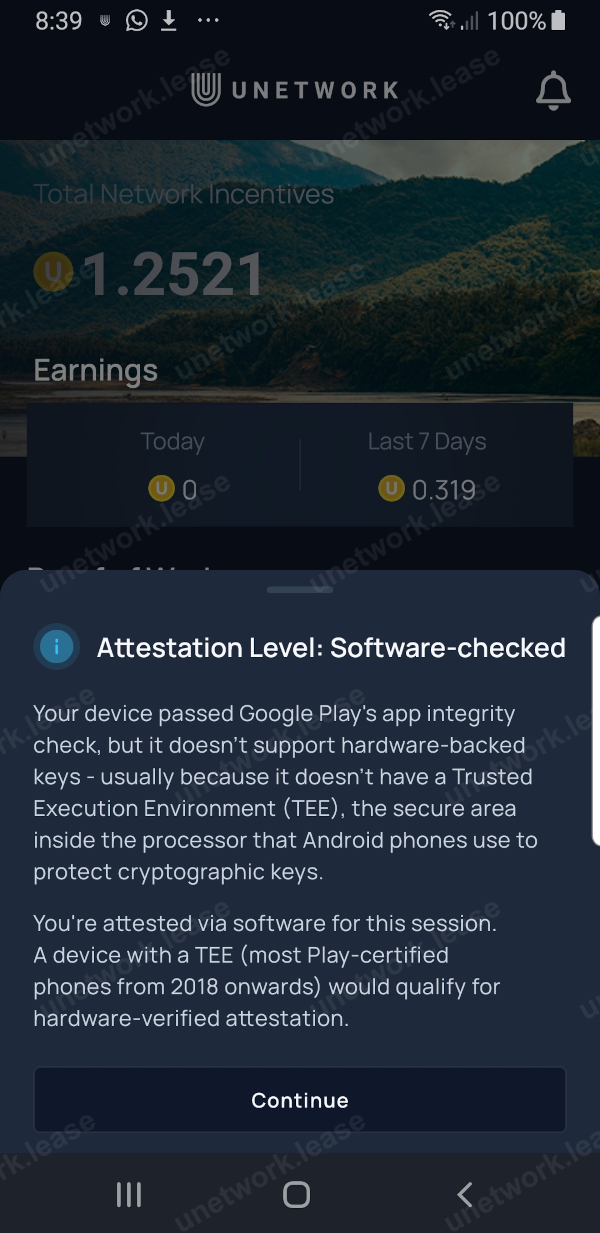
Checked in software — your device passed Google Play's integrity check but does not have the secure hardware for a hardware-level result. You are still attested and still earn. Some future reward programs may require devices verified in hardware, but Proof of Work continues either way.
If you see an attestation error rather than a level, first fully close the Unetwork app and reopen it; if it persists, reboot the phone and open the app again. Make sure you are on version 1.2.0 or later — you may have to update it manually through the Google Play Store.
-
 1
1
Step 1 / 5
The Attestation Error screen as it appears in the Unetwork app.
-
 2
2
Step 2 / 5
The phone has passed the software attestation check labelled as Software-checked.
-
 3
3
Step 3 / 5
The in-app English explanation of the Software-checked attestation level.
-
 4
4
Step 4 / 5
The phone has passed the hardware attestation check labelled as Hardware-verified (Full).
-
 5
5
Step 5 / 5
The in-app English explanation of the Hardware-verified (Full) attestation level.