

Enter your lease code in the Unetwork app
Once you have copied a lease code, the last step is to enter it into the Unetwork app on the phone you want to run it on. The code is what links that phone to your lease.
If you do not have the Unetwork app yet, install it from your device's app store.


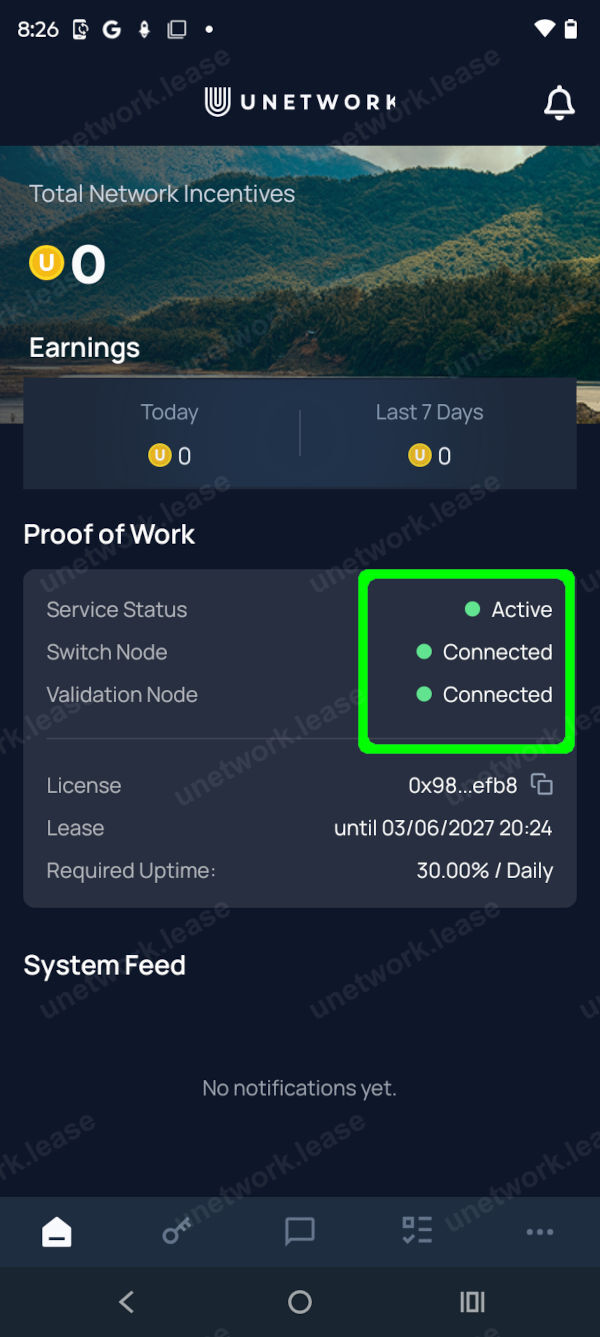
Follow the screens below in order to sign in via email and enter your code. When the indicators turn green your lease is active and your device can earn background rewards. To earn more you can enable optional tasks.
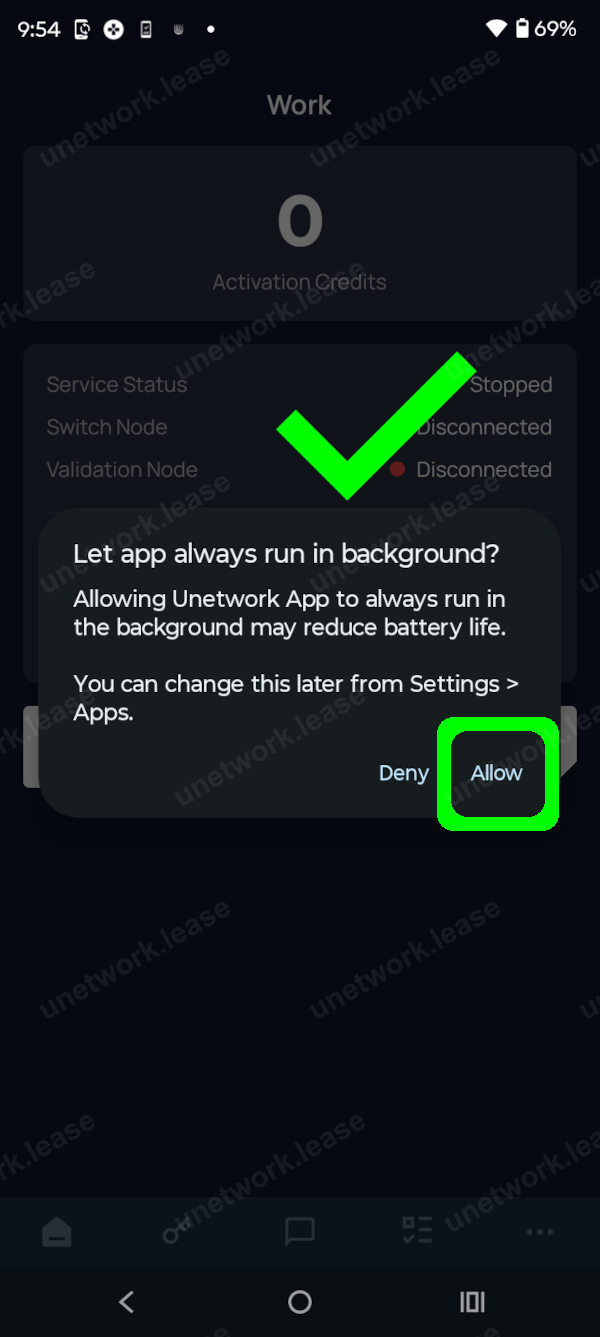
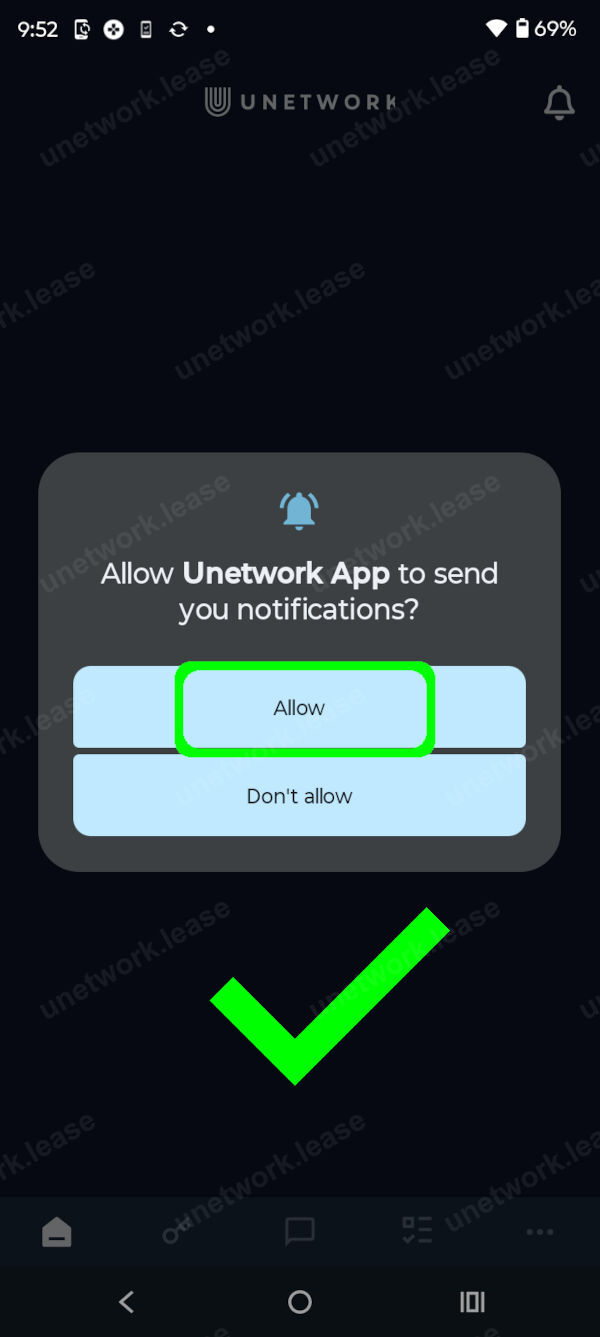
The app needs background activity to keep earning. Allow notifications so the app can alert you about updates and new tasks.
-
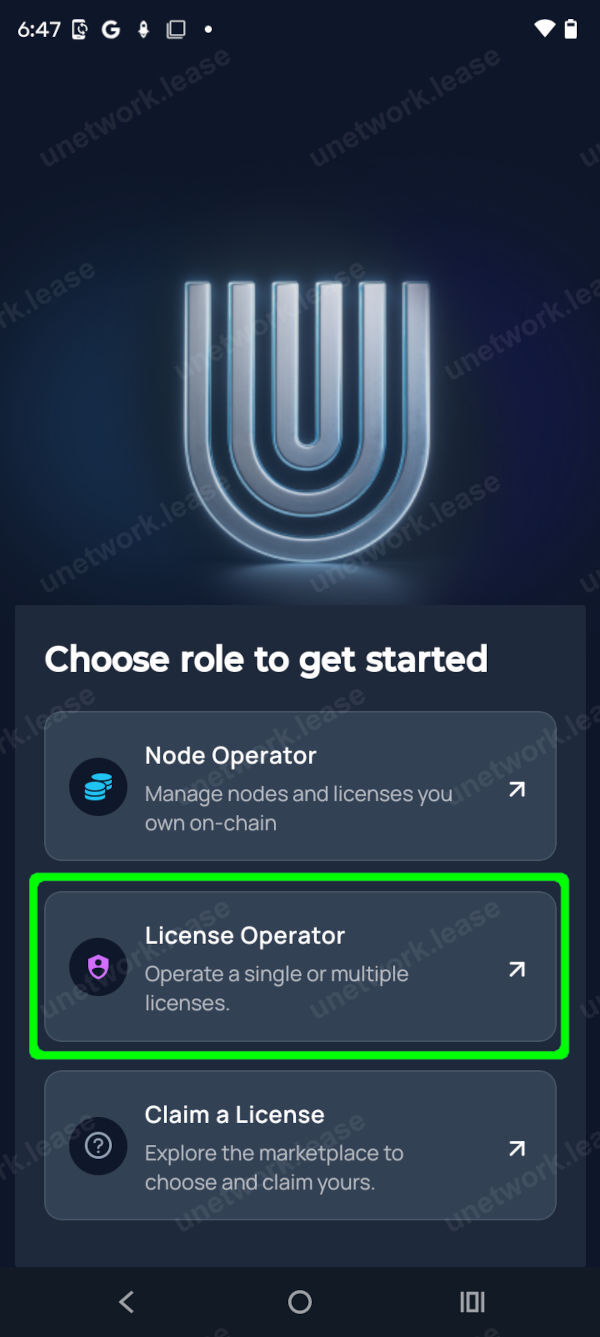 1
1
Step 1 / 8
Select Licence Operator button labelled Licence Operator.
-
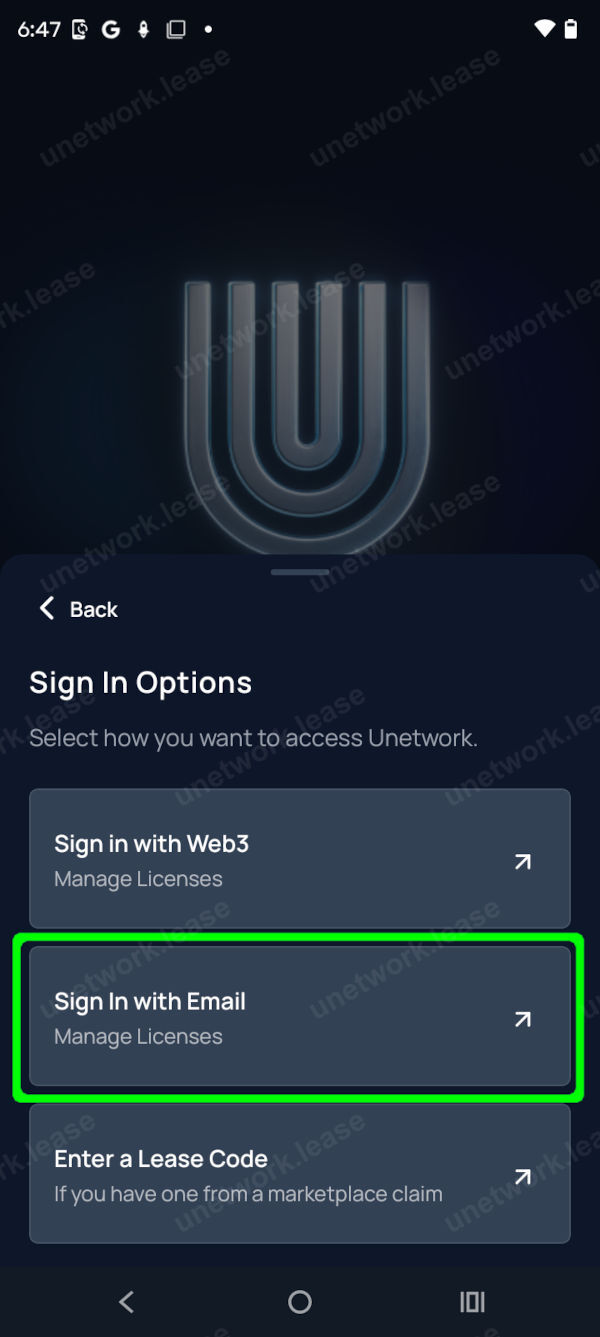 2
2
Step 2 / 8
Select sign in with email button labelled Sign in with Email.
-
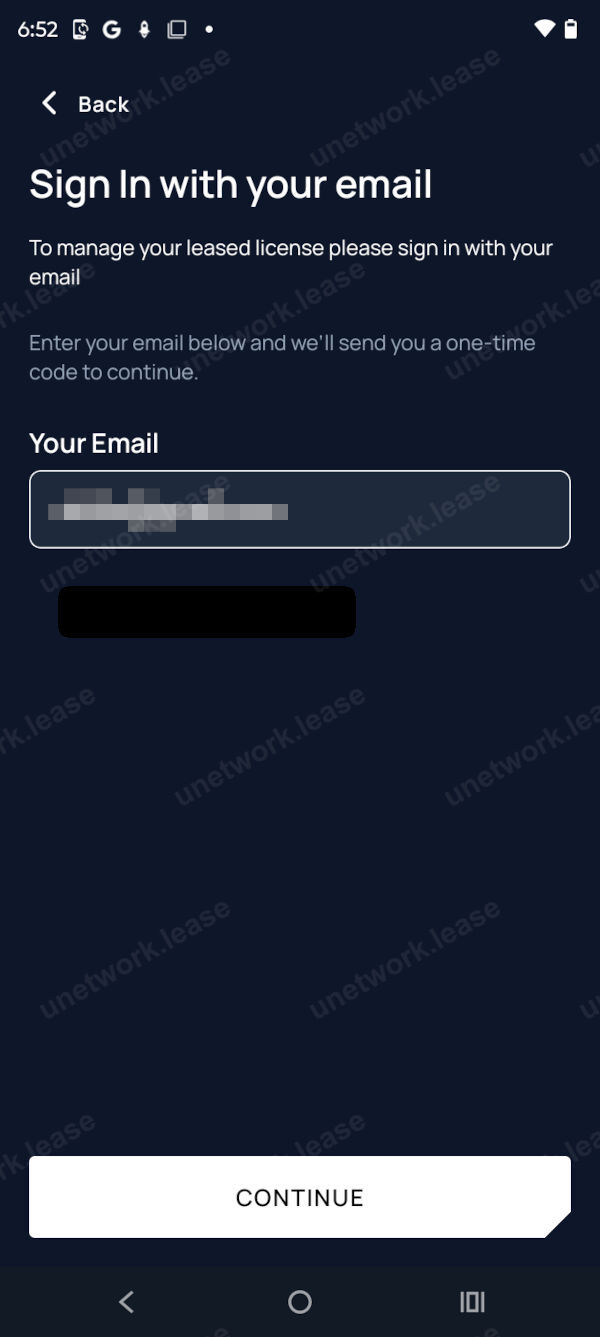 3
3
Step 3 / 8
Enter your email address, then enter the code emailed to you.
-
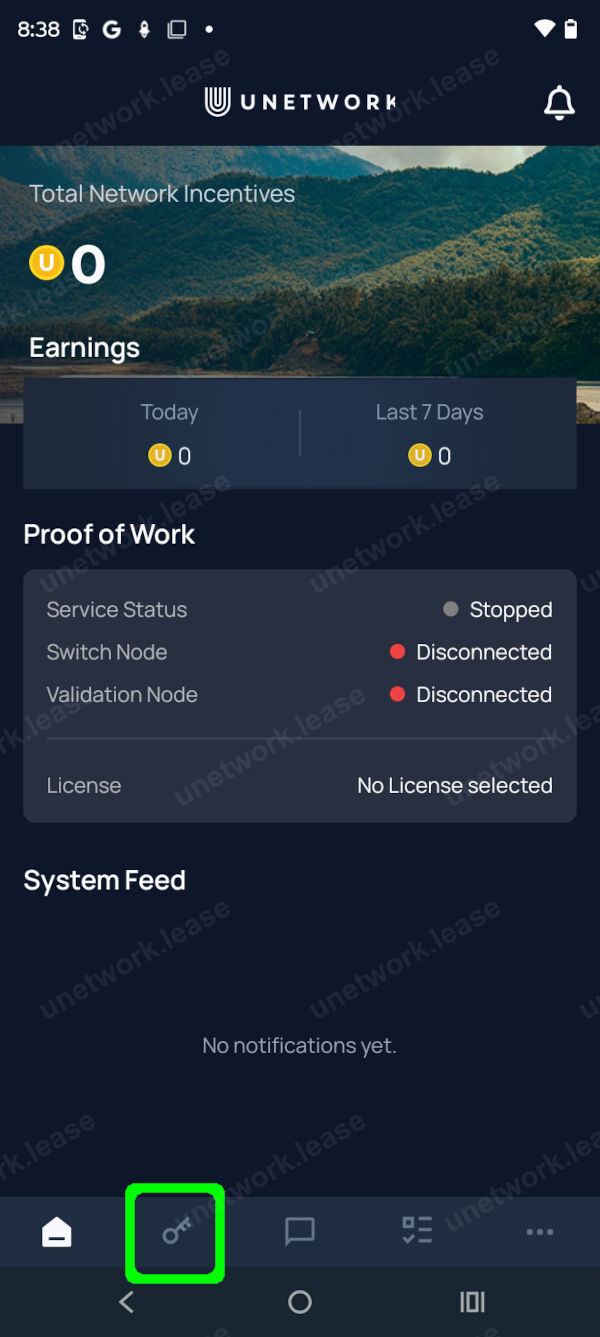 4
4
Step 4 / 8
Select the Licences tab at the bottom left. It is marked with a key icon.
-
 5
5
Step 5 / 8
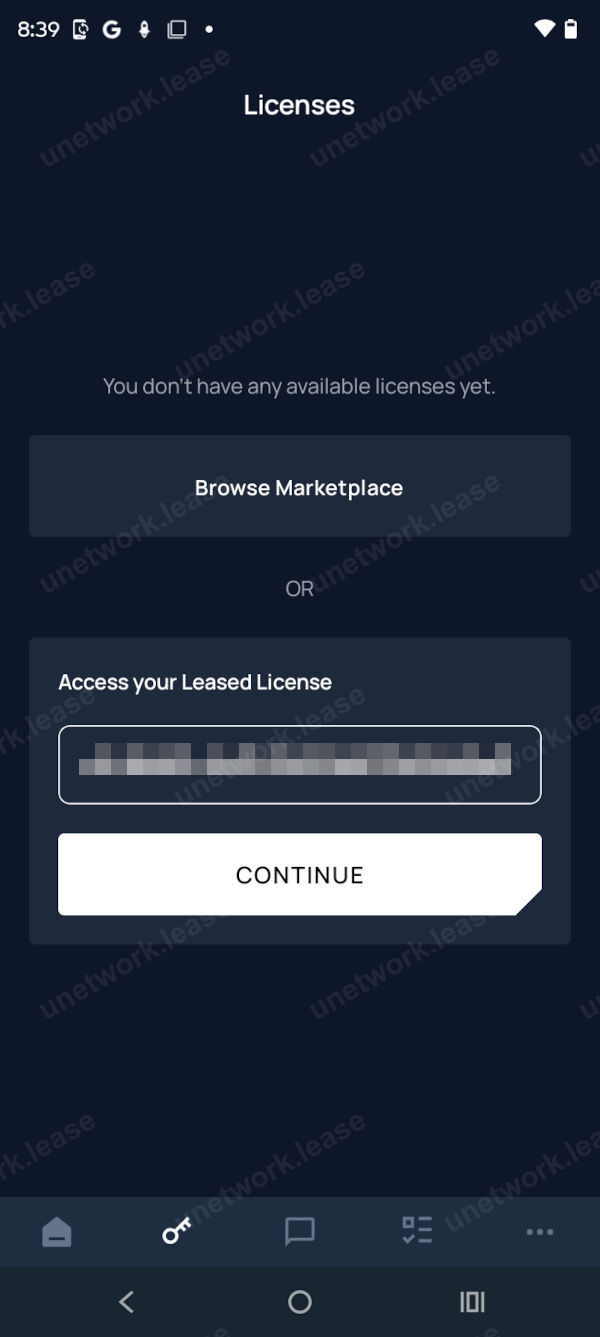
Enter your lease code and select the Continue button. If there is an error, check there are no spaces before or after the code.
-
 6
6
Step 6 / 8
When the three status indicators turn green, your lease is active and the device is connected to Unetwork.
-
 7
7
Step 7 / 8
Allow background activity so the app can keep running and earning.
-
 8
8
Step 8 / 8
Allow notifications so the app can alert you about updates and new tasks.